Ausland
An interactive learning app for the Australian Sign Language.
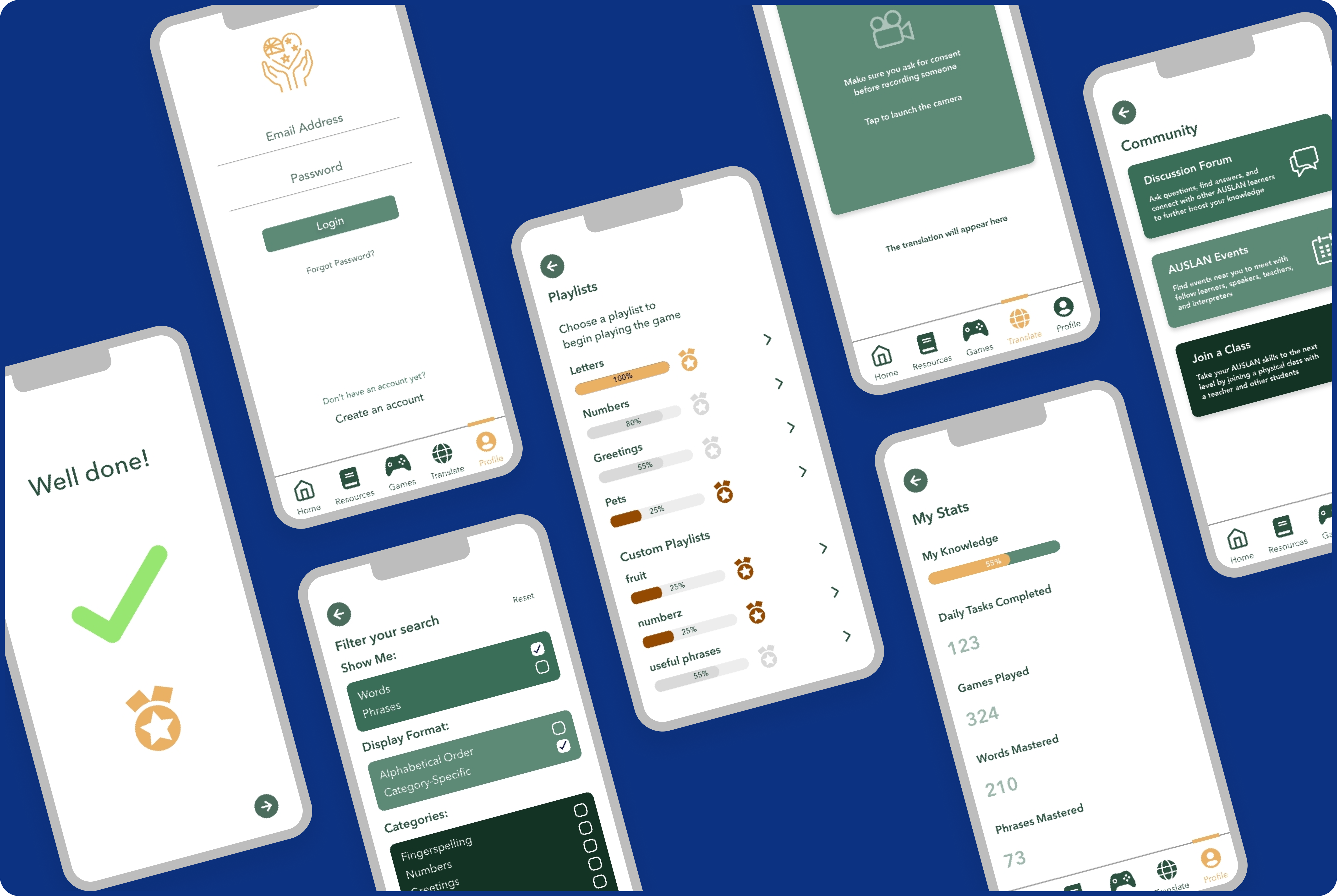
AUSLAND allows users to learn and improve their AUSLAN skills while tracking their progress.
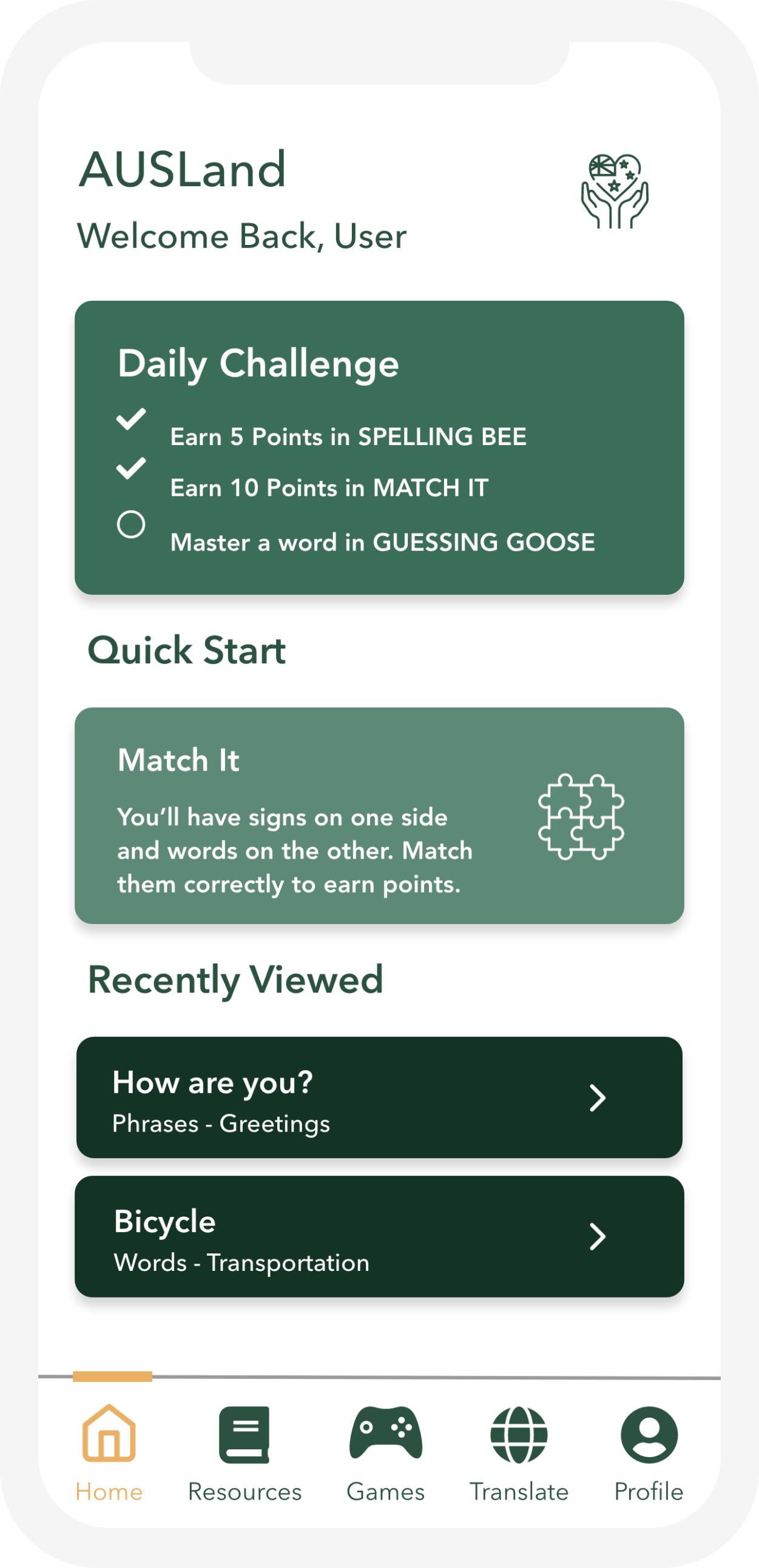
The app is game centred and designed to motivate the user to stay consistent with daily tasks and goals.
My Role
UX/UI Designer
Tools & Softwares
Adobe XD, Illustrator, UsabilityHub (Lyssna)
Problem Statement
The current technological tools and online courses that teaches Australian sign language (AUSLAN) are time consuming, expensive, and require the user to commit into a structured and inflexible learning plan.
In order to overcome this communication barrier and lack of support for learning AUSLAN, AUSLAND is introduced as an accessible, user-friendly, and gamified AUSLAN learning app.
Goal
AUSLAND goal is to provide a fun and accessible learning experience. the focus around the user experience is enjoyment and increase of motivation to play, and eventually learn Auslan.
Another important goal is to involve the deaf community in the development process of the app, as it is crucial to understand their needs in order to provide the most suitable learning experience.
Stakeholders
- Deaf community
- Family & friends
- Auslan teachers & interpreters
- Business owners & their employees
- Government & council
Design Cycles
1. Research & Discovery
- User interviews
- Site map development
2. Ideation & Conceptual Design
- Low-fidelity prototypes
- Initial user feedback
3. Prototyping & Iteration
- High fidelity prototypes
- User-based evaluations of prototypes
- Iterative refinements
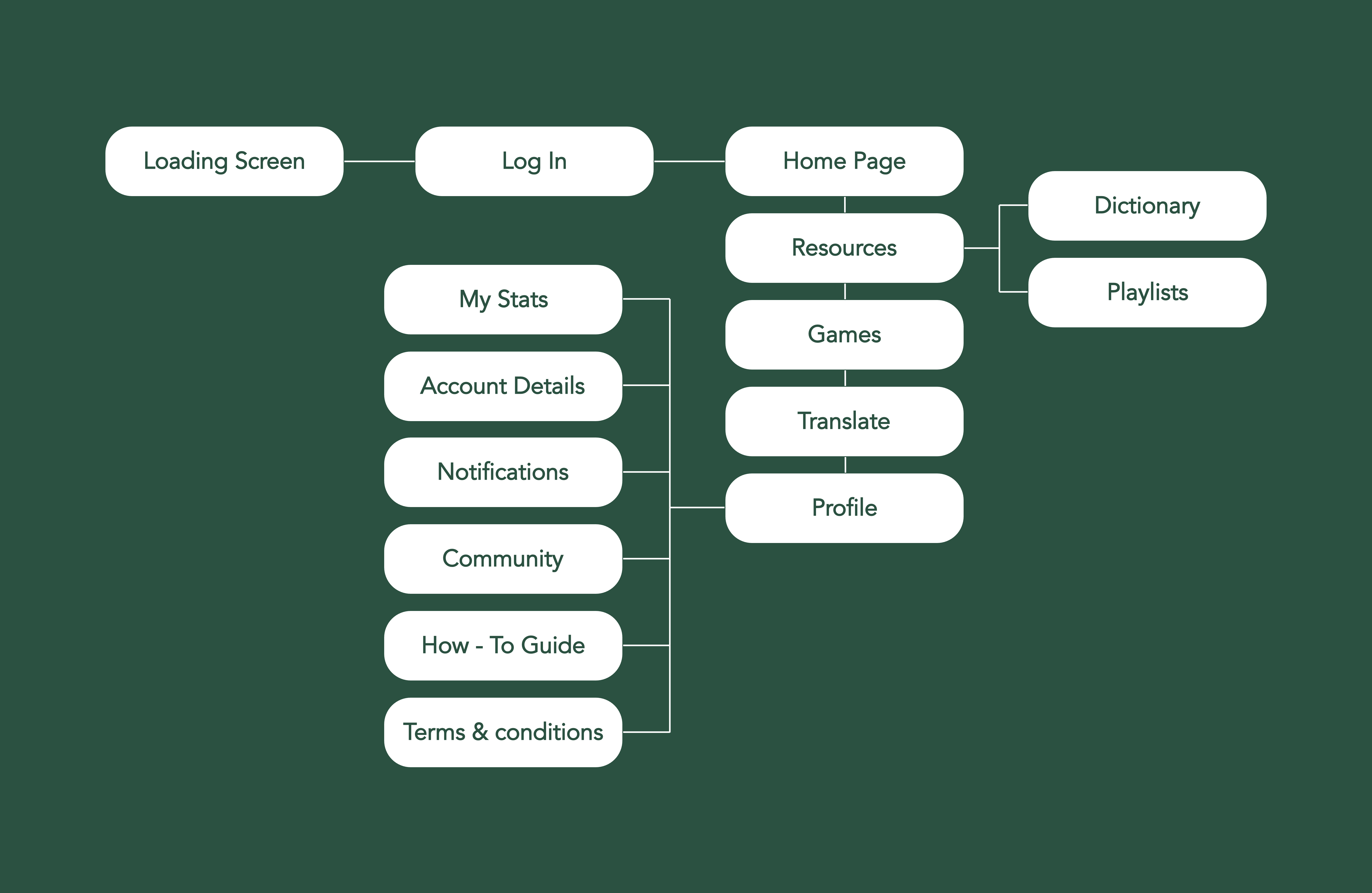
User Flow
Key scenarios were developed to represent how learners might engage with the app in different contexts: for example, a beginner practicing the alphabet or an advanced learner revising common phrases. These scenarios provided a clear picture of user goals and challenges, which in turn guided the construction of the user flow to ensure that each step supported a smooth and motivating learning experience
Research Methods & Findings
- User interviews: Live Interview sessions were conducted via Zoom. Participants were recruited according to the stakeholders groups, including a family member of deaf individual, AUSLAN teacher, and employees at a work place that might need to implement an AUSLAN learning program.
- Usabilityhub testing: Online usability testing were sent out to participants with an initial prototype design, in order to identify current issues regarding navigation and content.

Interviews revealed that learners lose motivation quickly with static AUSLAN resources, highlighting a need for engaging and flexible learning moments that fit into everyday routines.
“Students get bored with static resources, they need more engaging ways to learn”.
-Participant 2
Low Fidelity Prototype
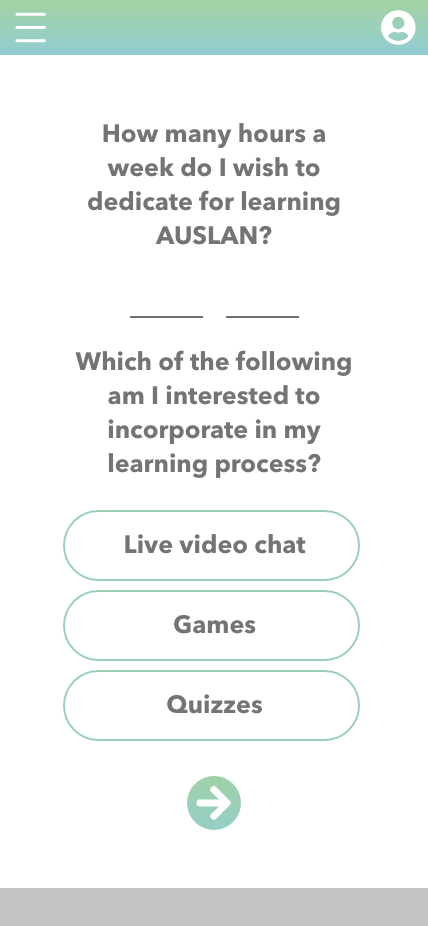

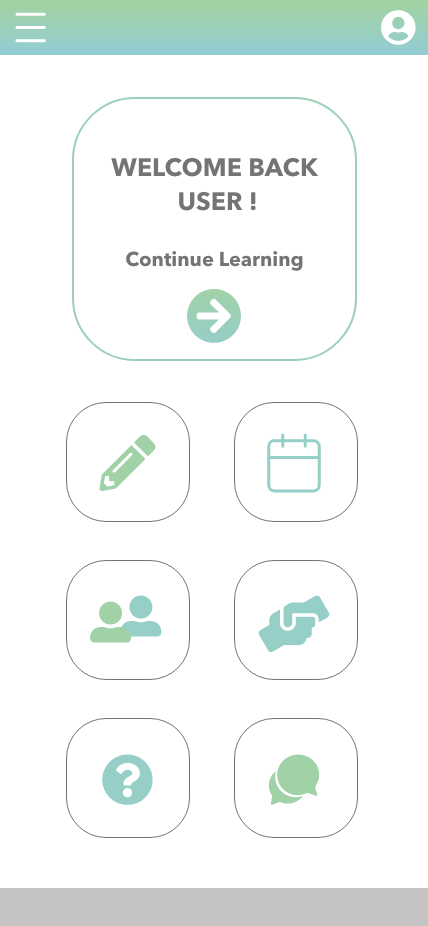
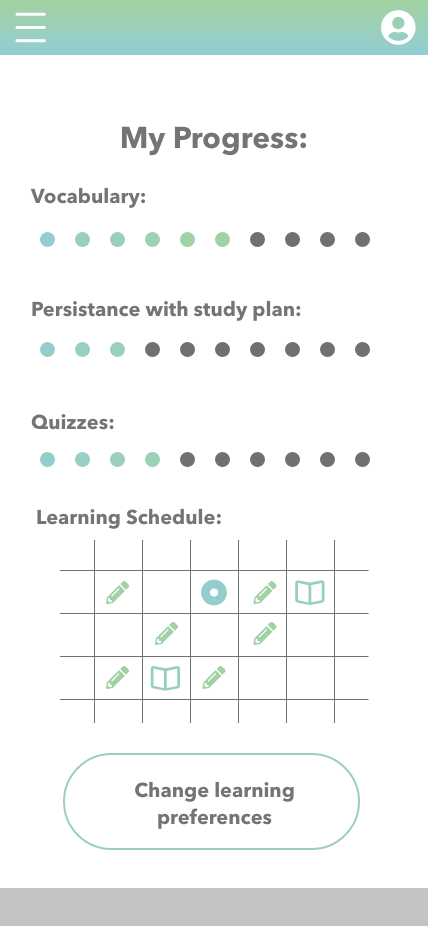
After conducting user interviews and testing, the data was transcribed and analysed within the category of interface issues.
A coding method was used in order to identify the issues and when they occurred:
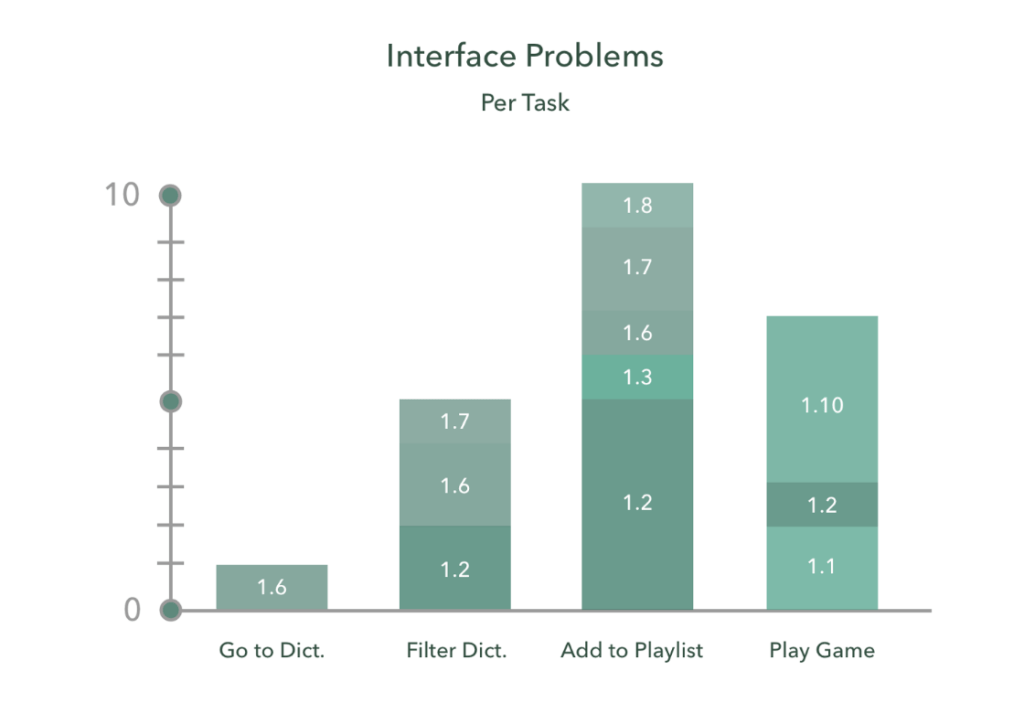
Interface Issues:
1.1 dissatisfaction about certain interface aspect
1.2 confusion about certain interface aspect
1.3 confusion regarding the outcome of an action
1.4 physical discomfort
1.5 fatigue
1.6 difficulty in finding a certain interface aspect
1.7 having difficulties achieving a certain goal
1.8 the user has made an error
1.9 unable to recover from error without asking for help
1.10 suggestion for re-design of interface
Style Guide
A style guide was determined for the high-fidelity design.
This was inspired by the Australian national colours, which contextually suits the purpose of educating people about the Australian Sign Language.

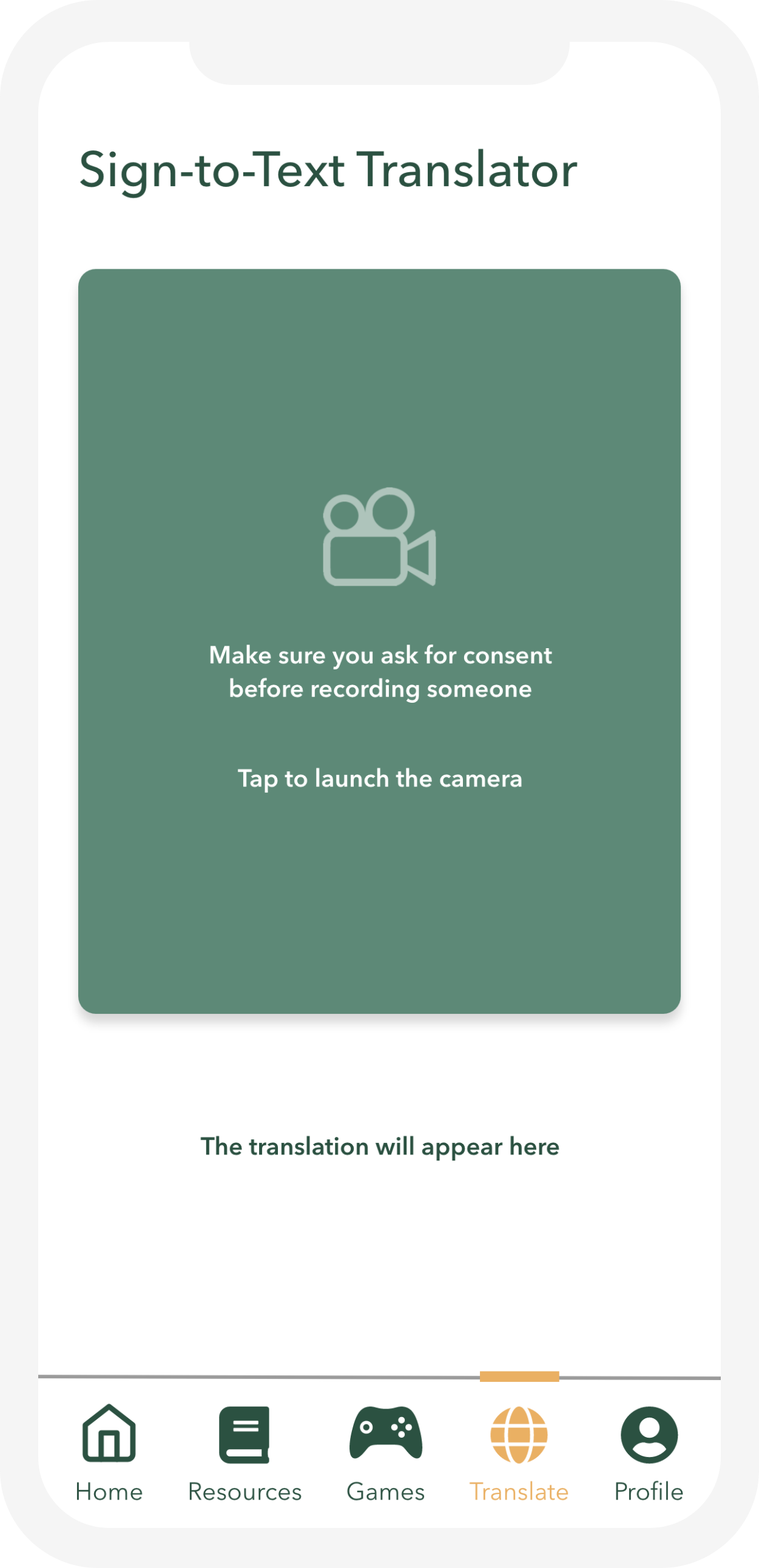
High fidelity Prototype
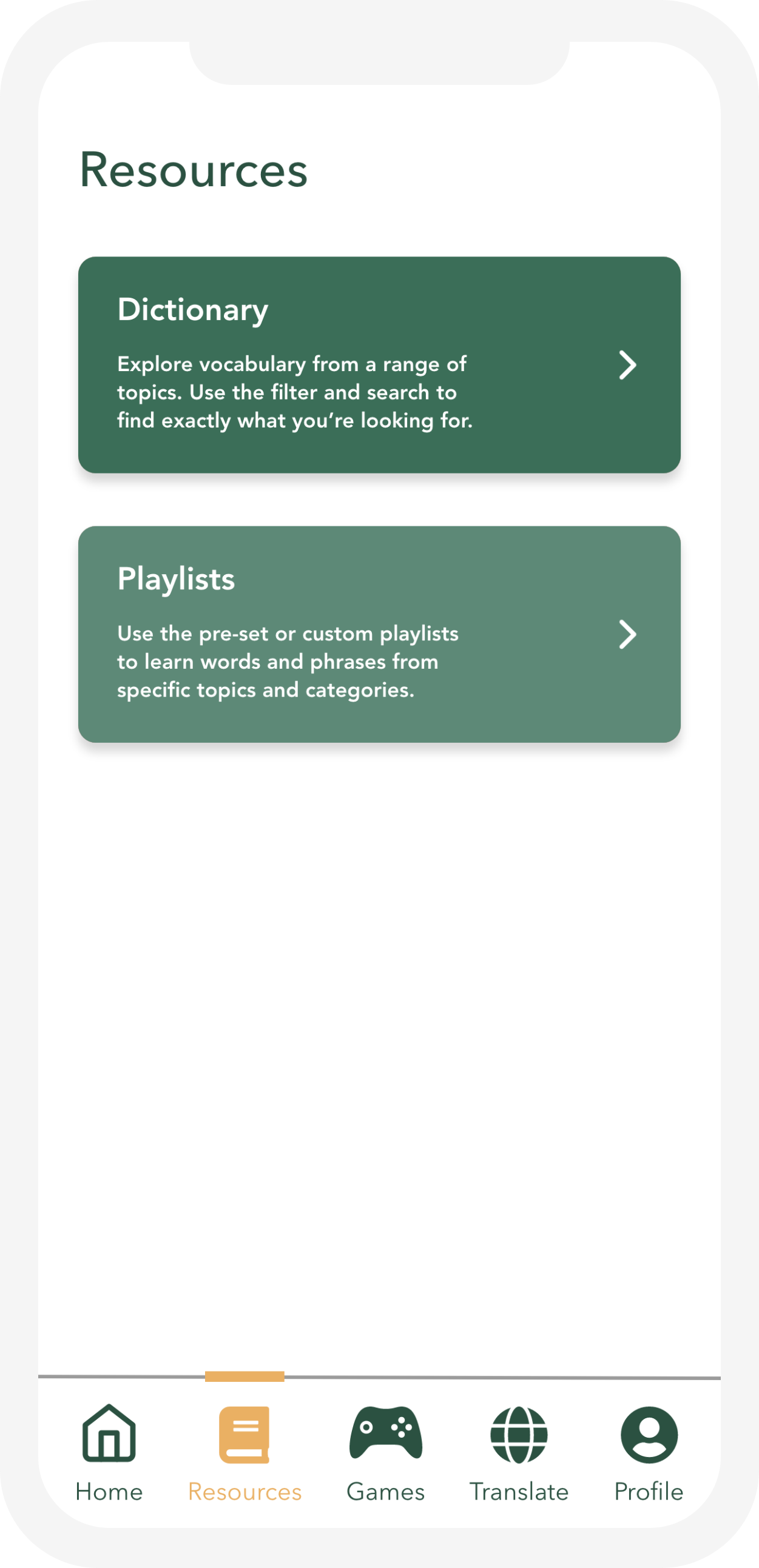
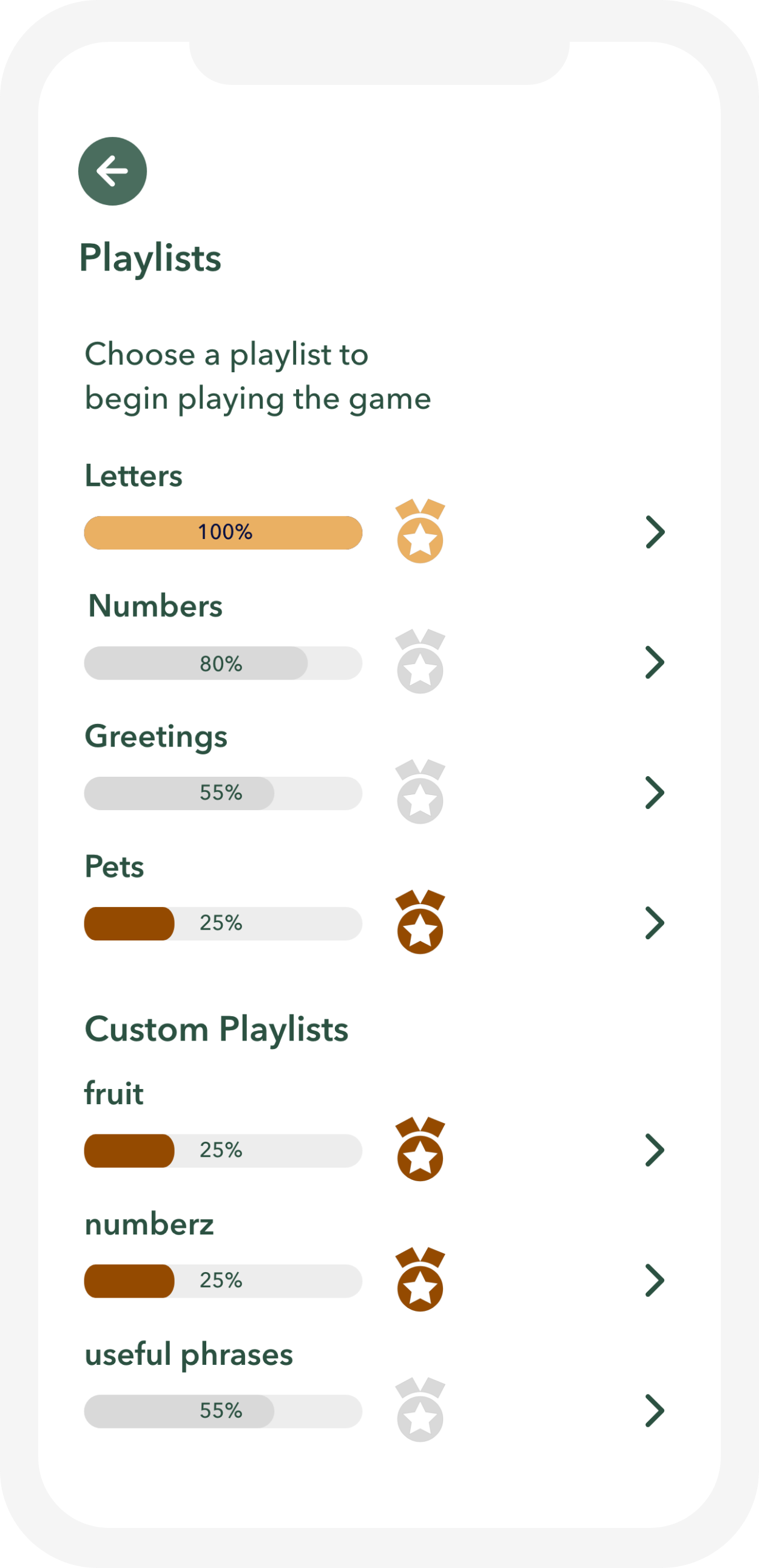
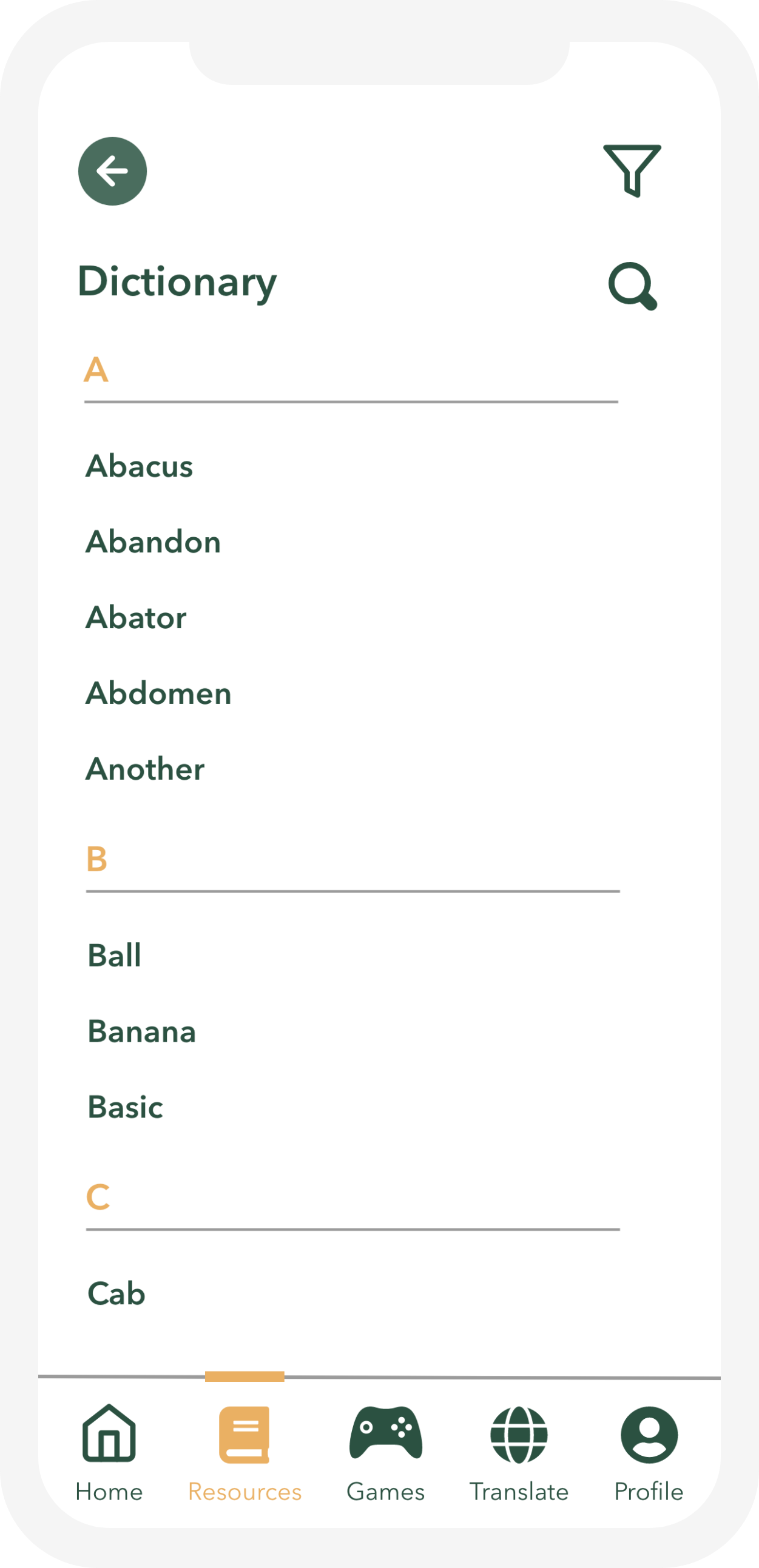
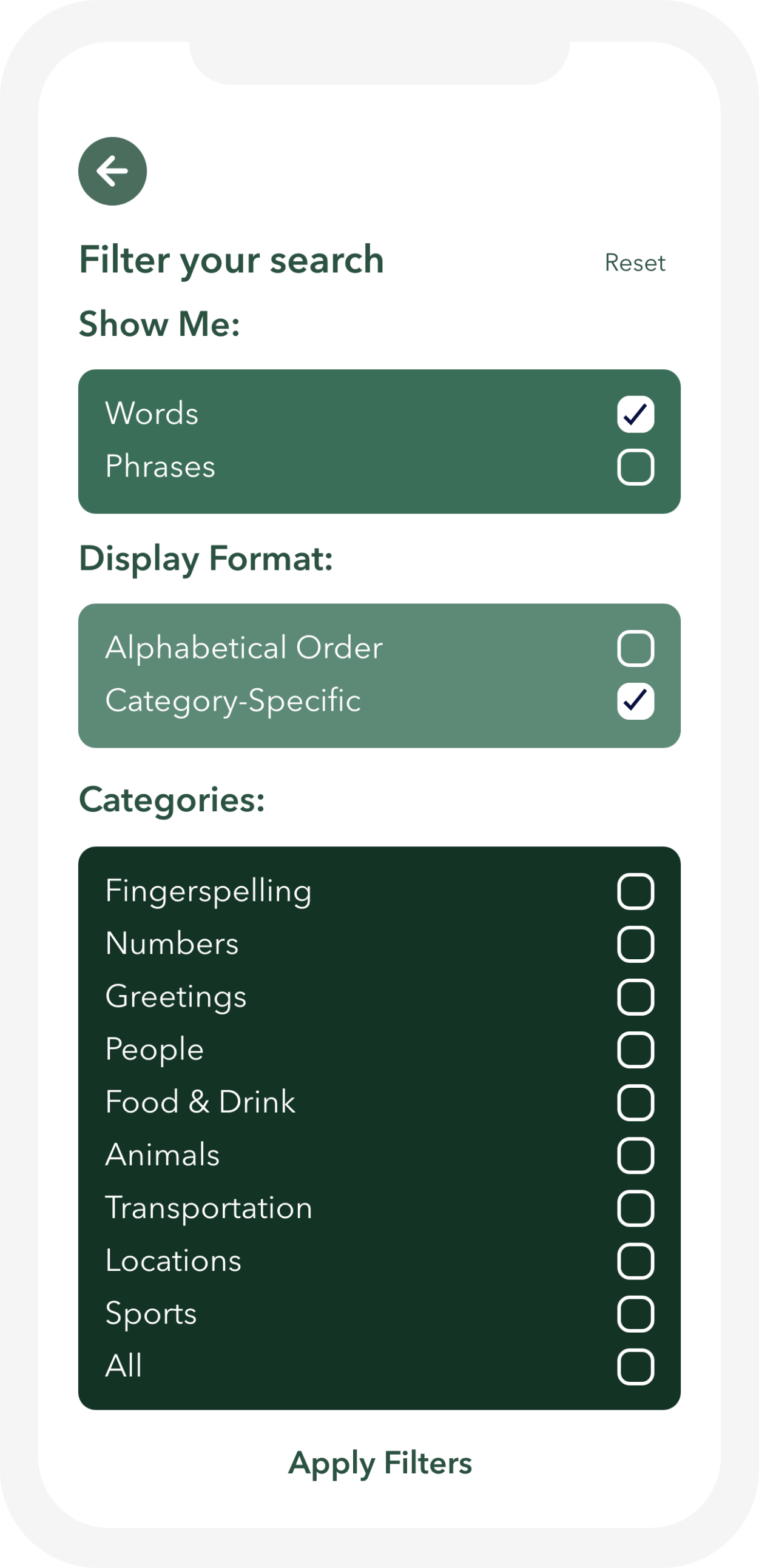

Future Directions
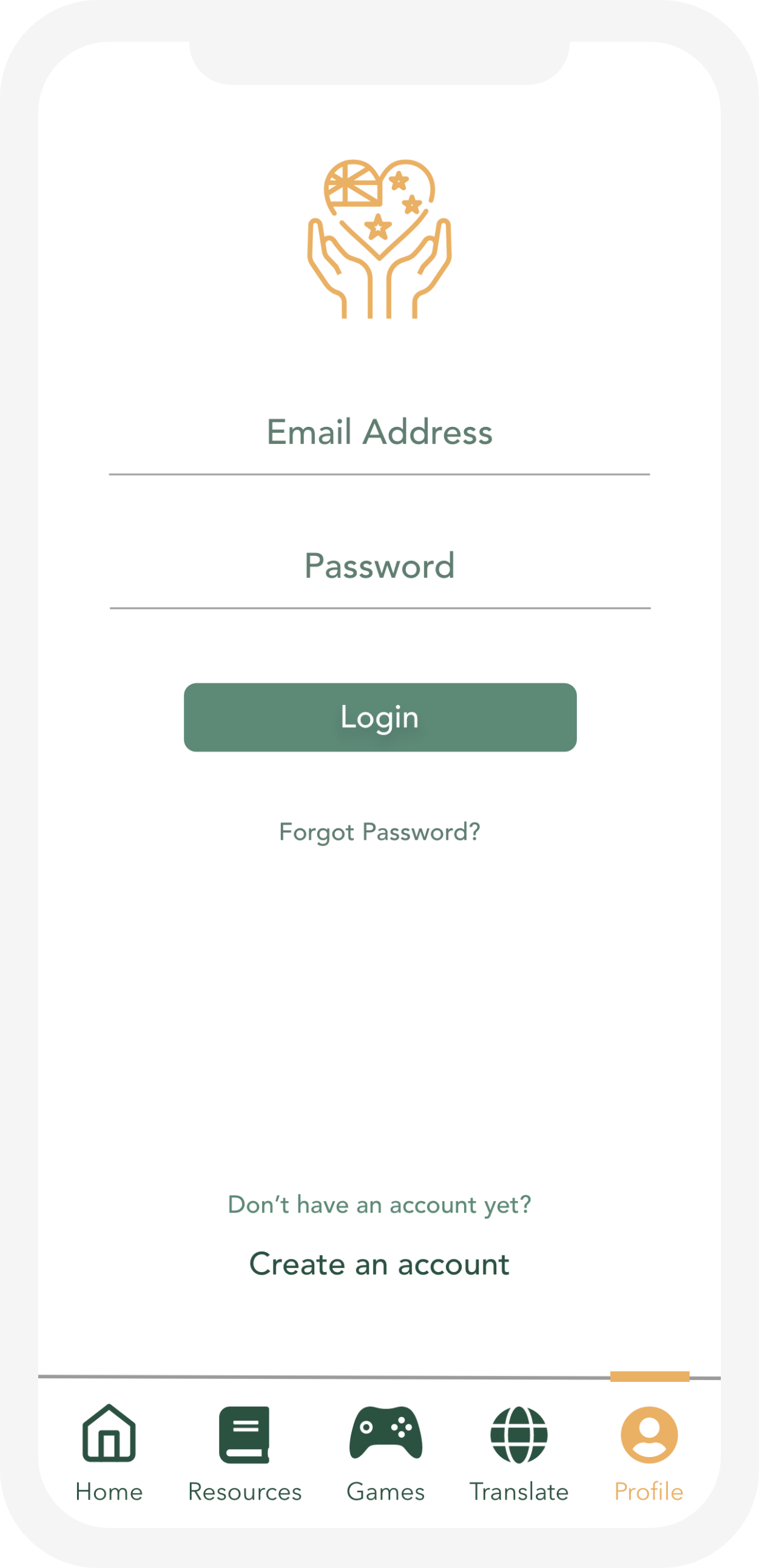
- One of the main issues we noticed while performing the user evaluation is that the purpose of the app was not clear to users from the first screen. This could be improved by providing additional icons, logos, or a certain motto to describe the use of the app
- Some users experienced difficulties when trying to understand the meaning of the different medals as part of the dictionary screen. Perhaps it will be good to re-design this feature in order for users to be able to read its purpose better
- An important aspect of AUSLAND is to motivate users to practice daily and reach specific goals in improving their AUSLAN. This could be improved by introducing more games and activities, as well as other features such as live video chats, and interactive practice videos

Analyse → Identified barriers in existing AUSLAN learning tools & courses
Research → Conducted interviews and usability testing with key stakeholders
Design → Defined user flows, scenarios, and created low fidelity prototype
Develop → Built high fidelity prototypes and applied gamified interactions
Implement → Validated designs through user based evaluations
 Roni Lavner